Regression
A regression is a bug where behavior that used to work correctly breaks after a change to code, configuration, dependencies, infrastructure, or data. In software teams, the term usually means the product moved backward in quality, even if the change was intended to improve or add something else.

What regression means
A regression happens when a previously fixed or working feature stops working. For example, a checkout form that accepted valid credit card details yesterday might fail today after a release that changed validation logic. The new code may not be directly about payments, but if it changes shared form components, API clients, feature flags, or CSS, it can still cause a regression.
Regressions are different from brand-new bugs because there is a known baseline: the behavior worked before. That makes the investigation partly historical. Developers often ask, "When did this last work?", "What changed since then?", and "Which commit, deployment, dependency bump, or data migration introduced the failure?"
Why regressions matter
Regressions are especially frustrating because users experience them as broken promises. If a feature worked last week, customers reasonably expect it to keep working. A regression in login, billing, search, navigation, or permissions can quickly become a high-severity issue because it damages trust and may block core workflows.
For engineering teams, regressions are a signal that the system has weak protection around existing behavior. That protection might include automated tests, type checks, visual regression tests, contract tests, monitoring, code review, release gates, or better ownership of shared components. Not every regression means someone was careless, but repeated regressions usually mean the feedback loops are too slow or incomplete.
Common examples and causes
A UI regression might be a button that becomes unclickable because a new overlay covers it, a layout that breaks on mobile after a CSS refactor, or a modal that no longer traps focus correctly. A backend regression might be an API returning a different shape, a database query becoming slow, or an authorization rule denying access that should be allowed.
Common causes include incomplete test coverage, hidden coupling between modules, stale assumptions in shared code, dependency upgrades, environment differences, feature flags, browser differences, and race conditions. Regressions also happen when a bug fix is too narrow. For example, fixing one edge case in date parsing may accidentally break another locale or timezone if the underlying behavior is not clearly specified.
How regressions relate to feedback and fixing bugs
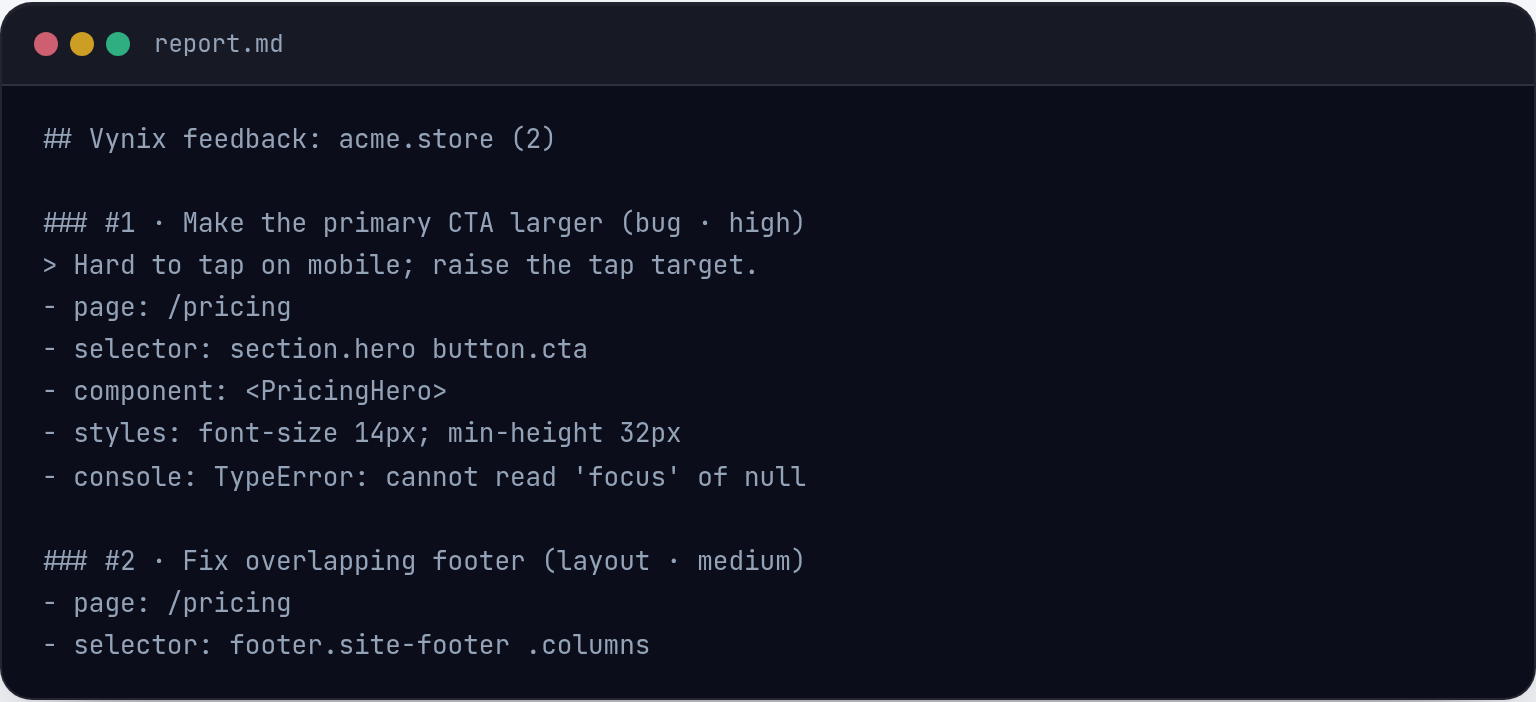
Good regression reports include the expected behavior, the current broken behavior, steps to reproduce, the environment, screenshots or recordings, relevant console errors, network requests, and the approximate time when the issue started. This context helps developers compare old and new behavior instead of guessing. Tools like Vynix can help here by letting someone click the broken part of a website and capture the element, screenshot, console and network context, and an AI diagnosis before opening an issue or drafting a fix prompt.
The fix process usually starts by reproducing the regression, narrowing the change range, identifying the root cause, and adding a test that would have caught it. The test matters because a regression fix without a guard can regress again later. After the patch ships, teams should verify the original workflow, related edge cases, and any shared components touched by the fix.

Frequently asked questions
Is every bug found after a release a regression?
No. A bug is a regression only if the affected behavior previously worked and then broke because of a later change. If the behavior never worked, it is usually a defect, missing requirement, or unfinished feature rather than a regression.
How can teams prevent regressions?
Teams reduce regressions with automated tests around critical workflows, smaller releases, better observability, code review, visual and end-to-end testing, feature flags, and clear bug reports. The goal is not to eliminate all regressions, but to catch them earlier and make them easier to diagnose.
Vynix captures the context that turns a vague report into a clear fix.
Try Vynix free