Network request
A network request is a call made by a browser, mobile app, server, or other client to fetch, send, update, or delete data from another resource over a network. In web development, it usually means an HTTP or HTTPS request for an API response, HTML document, CSS file, JavaScript bundle, image, font, or analytics endpoint.

What a network request means
When a user opens a web page, clicks a button, submits a form, or scrolls through a feed, the application often sends one or more network requests. Each request has a destination URL, an HTTP method such as GET or POST, request headers, and sometimes a body containing data. The server responds with a status code, headers, and often a response body, such as JSON, HTML, or a binary file.
Developers usually inspect network requests in the browser DevTools Network panel. That view shows timing, payloads, response codes, redirects, cookies, cache behavior, CORS details, and failures. A single broken feature can involve many requests, so understanding which request matters is a core debugging skill.
Why network requests matter
Network requests are the connection between the user interface and the data or assets it depends on. If a request is slow, blocked, malformed, cached incorrectly, or rejected by the server, the UI may show stale data, empty states, loading spinners, broken images, or confusing error messages. Many bugs that look like frontend rendering issues are actually request or response problems.
Request details also affect security and reliability. Authentication tokens, cookies, CSRF headers, CORS policies, rate limits, and input validation all shape whether a request succeeds. Performance depends heavily on request count, response size, server latency, compression, caching, and waterfall behavior. Reducing unnecessary requests or batching expensive calls can make an app feel much faster.

Common examples and mistakes
Common network requests include fetching product data from /api/products, posting a login form to /api/session, loading a JavaScript bundle, downloading a web font, or sending an event to an analytics service. A successful API request might return status 200 with JSON. A created resource might return 201. A missing route returns 404, an unauthorized request returns 401 or 403, and a server failure returns 500.
Frequent mistakes include using the wrong HTTP method, sending invalid JSON, forgetting a required header, calling the wrong environment, or assuming a response shape that changed. Other common issues include preflight CORS failures, requests blocked by ad blockers, mixed-content errors when HTTPS pages call HTTP resources, and race conditions where older responses overwrite newer UI state.
How network requests relate to feedback and fixing bugs
Good bug reports include the relevant network request, not just a screenshot of the broken UI. The failing URL, method, status code, request payload, response body, and timing can quickly reveal whether the problem is in the frontend, backend, authentication layer, CDN, or third-party service. Without that context, developers often have to reproduce the issue manually before they can even start fixing it.
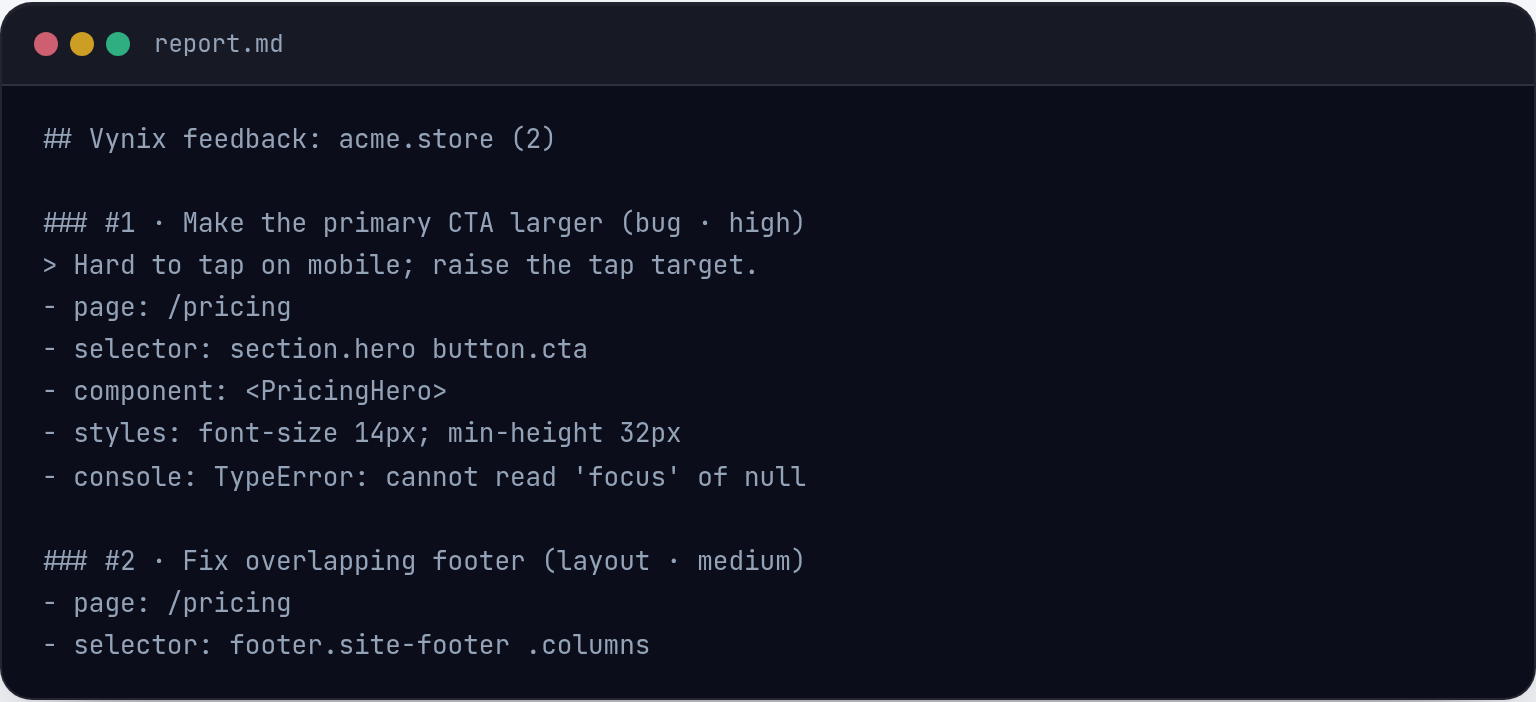
Vynix helps capture this context at the moment feedback is created. Since Vynix is a website annotation and developer-context tool, a reviewer can click the broken element and capture the element, screenshot, console output, network context, and an AI diagnosis of the likely root cause. That makes it easier to turn user feedback into a ready-to-build prompt or a GitHub issue that a developer or coding agent can act on.
Frequently asked questions
Is a network request the same as an API call?
An API call is a type of network request, usually made to a backend endpoint that returns structured data such as JSON. Network request is broader and also includes loading pages, images, scripts, stylesheets, fonts, videos, and third-party tracking or payment resources.
What should I check when a network request fails?
Start with the URL, HTTP method, status code, request payload, response body, headers, and timing. Also check authentication, CORS errors, redirects, caching, environment configuration, and whether the request succeeds when repeated with the same inputs.
Vynix captures the context that turns a vague report into a clear fix.
Try Vynix free