Error monitoring
Error monitoring is the practice of automatically detecting, collecting, grouping, and alerting on software errors that occur in real user sessions or production-like environments. It helps teams understand what broke, who was affected, where it happened, and what technical context is needed to fix it.

What error monitoring means
Error monitoring focuses on runtime failures: uncaught exceptions, rejected promises, failed API calls, crashes, broken page loads, and other defects that happen after code is deployed. A typical error monitoring system records the error message, stack trace, browser or device details, release version, URL, user impact, timestamps, and surrounding events such as logs, breadcrumbs, console output, and network requests.
The goal is not just to collect every failure. It is to turn noisy failure data into useful signals. Good error monitoring groups duplicate errors, shows how often they occur, identifies whether they are new or recurring, and connects them to a deployment or code change. This makes it easier to distinguish a one-off browser extension issue from a real regression affecting many users.
Why error monitoring matters
Without error monitoring, teams often learn about production bugs from support tickets, angry customers, or vague internal reports like "the checkout page is broken." By that point, the team may have little evidence about what actually happened. Error monitoring shortens the gap between a failure and a fix by alerting developers when the failure occurs and preserving the technical context needed for investigation.
It also helps with prioritization. A severe-looking stack trace may affect one internal tester, while a small JavaScript error may break a core workflow for thousands of users. Error monitoring lets teams rank bugs by frequency, affected users, revenue impact, release, and severity. For engineering managers and on-call developers, this reduces guesswork and helps focus attention on issues that matter most.
Common mistakes and examples
A common mistake is treating error monitoring as a simple inbox of stack traces. Raw errors are useful, but they are rarely enough. For example, a frontend error like "Cannot read properties of undefined" might be caused by a backend response shape changing, a race condition during page load, or a user action that was not expected. Without request data, UI state, and reproduction steps, developers may waste time guessing.
Another mistake is over-alerting. If every low-priority warning pages the team, alerts become noise and important issues are ignored. Teams should define alert rules around user impact, new errors, spikes, and critical flows. They should also filter known browser extension noise, bot traffic, and handled errors that do not affect the user experience.
How it relates to feedback and fixing bugs
Error monitoring explains what the system observed, while user feedback explains what the user experienced. The strongest debugging workflow combines both. A user may report that a button does nothing, and error monitoring may show a failed request, a console error, and the release where the issue started. Together, these details create a clearer path from symptom to root cause.
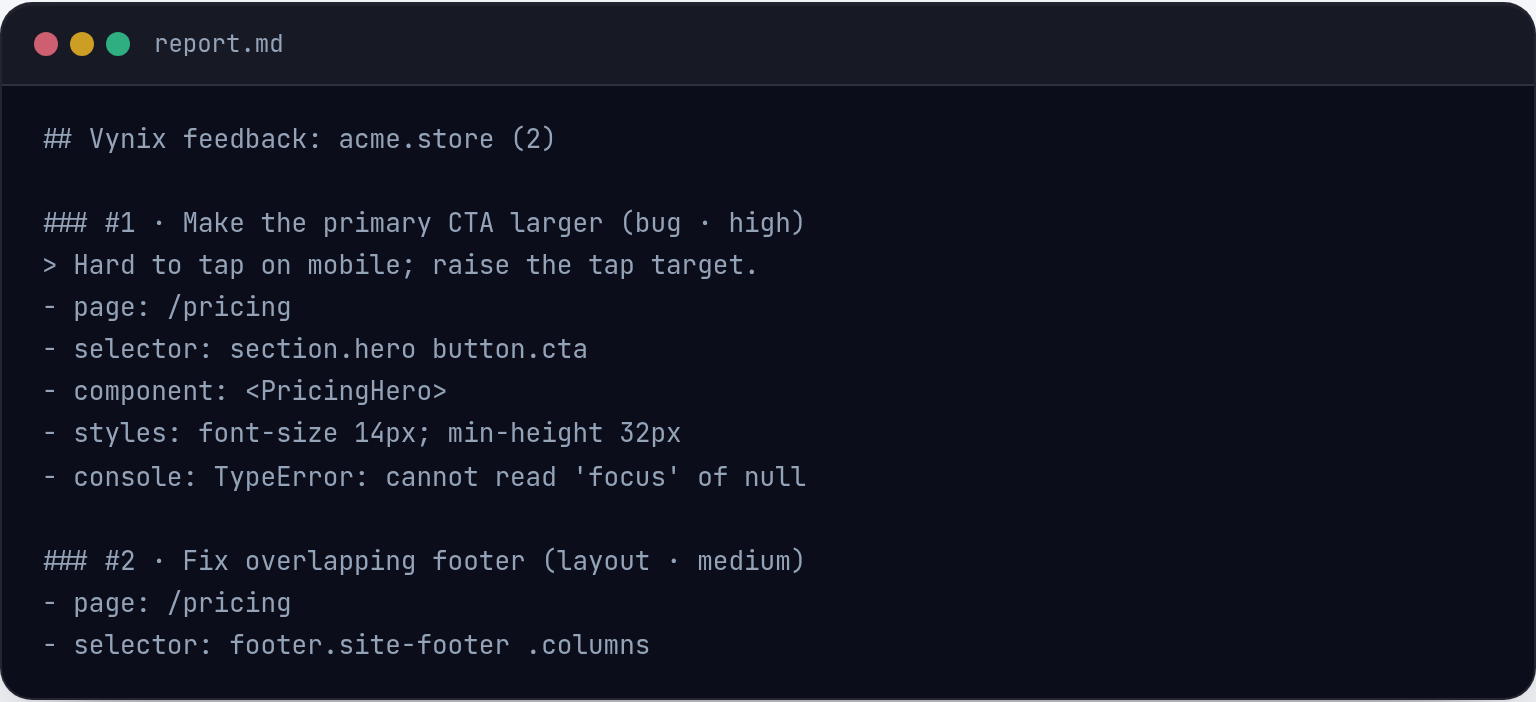
Tools like Vynix fit into this handoff by capturing developer context directly from the page when someone spots a problem. With its website annotation widget, a user or teammate can click the broken element and capture the element, screenshot, console and network context, plus an AI diagnosis. That context can complement error monitoring data and be turned into a ready-to-build prompt or GitHub issue for a developer or coding agent.

Frequently asked questions
How is error monitoring different from logging?
Logging records events that developers choose to emit, such as requests, state changes, or debug messages. Error monitoring is specifically focused on failures, grouping them, tracking frequency and impact, and alerting teams when something needs attention. In practice, the two work best together.
What should an error monitoring event include?
A useful event should include the error message, stack trace, affected URL or route, release version, environment, browser or device details, timestamp, user or session identifier when appropriate, recent user actions, console output, and related network requests. The more relevant context it includes, the faster developers can reproduce and fix the issue.
Vynix captures the context that turns a vague report into a clear fix.
Try Vynix free