Vynix for SaaS teams
Vynix is built for SaaS product and engineering teams shipping changes continuously. Click on a broken or confusing part of your site, capture the context developers need, and move the fix into GitHub or a coding agent handoff.

The problem
When SaaS teams ship often, bugs, UI regressions, and unclear feedback can pile up faster than they are triaged. Product managers, designers, QA, and engineers lose time explaining what happened, where it happened, and what the browser saw. Screenshots and vague tickets are not enough when the issue depends on the exact element, console errors, or network activity.
Capture the issue where it happens
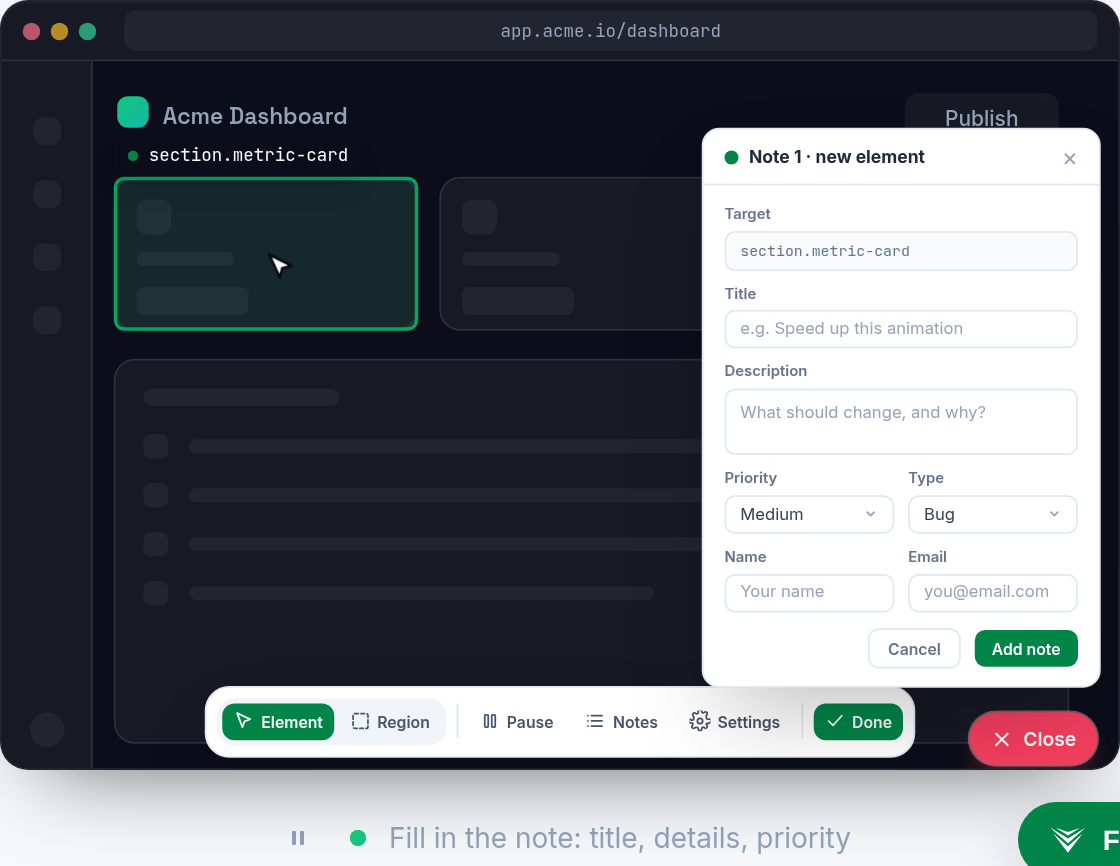
Drop the lightweight Vynix widget on any site, then click directly on the element that looks wrong or behaves badly. Vynix captures the selected element, a screenshot, and the page context so the report starts from the actual problem, not a written guess.
This gives product, QA, design, and engineering a shared reference for the issue, which is especially useful when releases are frequent and details get lost in chat threads.
Give engineers the browser context they ask for
Vynix automatically includes developer context like console and network information, along with an AI diagnosis of the likely root cause. Engineers can see more than what was visible on the screen, without asking the reporter to reproduce the issue and open dev tools.
The goal is not to replace engineering judgment. It is to make the first handoff clearer, faster, and closer to something a developer can act on.

Move from report to build work
Once an issue is captured, Vynix helps turn it into action. Teams can copy a ready-to-build prompt or open a GitHub issue and assign it to a coding agent.
Review rounds, projects, roles, and sharing help SaaS teams keep feedback organized across product surfaces, releases, and contributors.
What you get
- Click-to-annotate any page so product, QA, and design can report issues without writing long reproduction notes.
- Automatic developer context captures the element, screenshot, console, and network details engineers need for triage.
- AI root-cause diagnosis gives teams a starting point for understanding what likely went wrong.
- Coding agent handoff lets teams copy a ready-to-build prompt or open a GitHub issue and assign the work.
- Projects, roles, sharing, and review rounds keep feedback organized across fast-moving SaaS release cycles.
Frequently asked questions
Who is Vynix for on a SaaS team?
Vynix is for product managers, engineers, designers, QA, and anyone who needs to point out website issues and give developers usable context.
What does Vynix capture when someone annotates a page?
Vynix captures the clicked element, a screenshot, console and network context, and an AI diagnosis of the likely root cause.
Can Vynix create GitHub issues?
Yes. From a captured issue, you can open a GitHub issue and assign it to a coding agent, or copy a ready-to-build prompt.
One script tag, a free plan, and your first report in a minute.
Get started free