Vynix for remote teams
Remote teams need bug reports that make sense without a live call. Vynix helps distributed product, QA, support, and engineering teams capture what broke, where it broke, and the developer context needed to act on it.

The problem
When people work across time zones, a vague bug report can sit for hours before anyone asks the first follow-up question. Screenshots, URLs, console errors, network failures, and reproduction notes often end up split across chat threads, tickets, and meeting notes. That slows down triage and makes it harder for engineers or coding agents to start with confidence.
Capture the issue where it happens
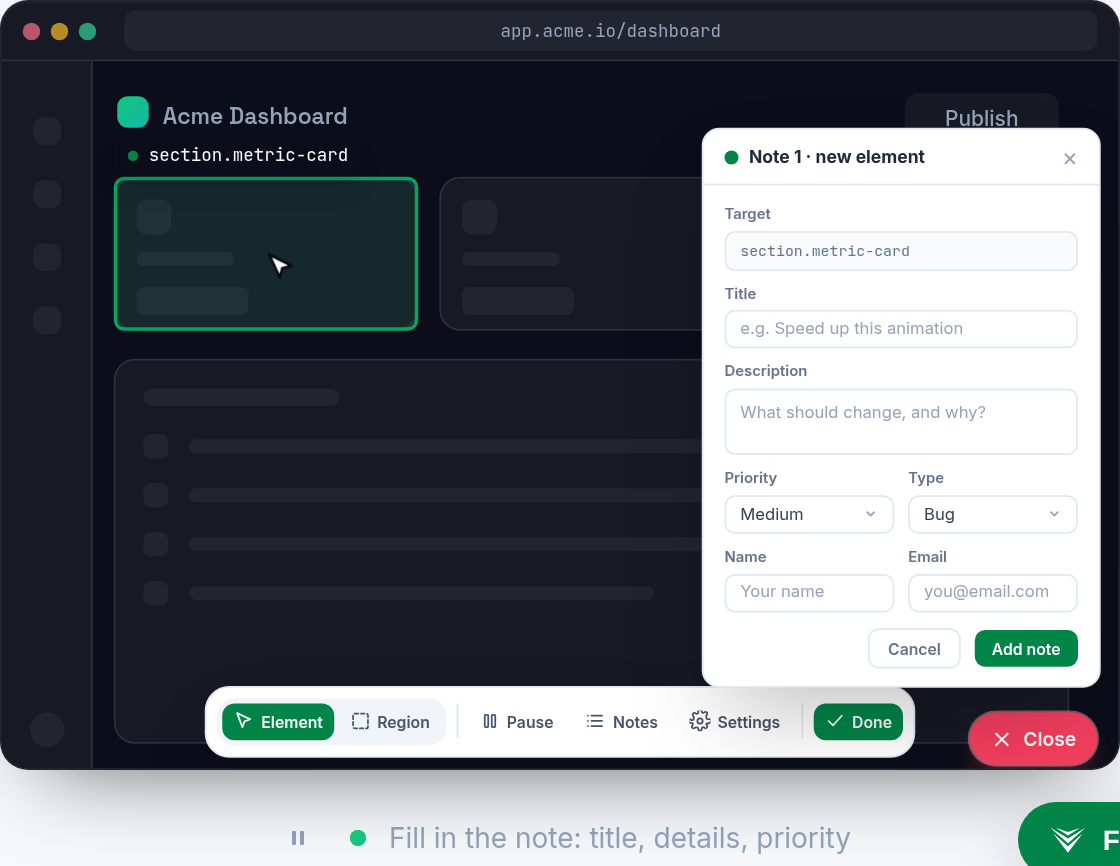
Drop the lightweight Vynix widget on your site, then click on the part of the page that is wrong. Vynix captures the selected element, a screenshot, and the surrounding developer context in one report.
That means a teammate in another time zone can open the report later and see the actual UI state, not just a short message that says something is broken.
Give engineers the context they usually have to ask for
Vynix automatically includes console and network context, then adds an AI diagnosis of the likely root cause. It is not a replacement for engineering review, but it helps focus the first pass on the most relevant signals.
Instead of asking the reporter to reopen DevTools, reproduce the issue, or send another screenshot, developers get a more complete starting point from the first report.
Hand off work without another meeting
When a report is ready, you can copy a ready-to-build prompt or open a GitHub issue and assign it to a coding agent. Review rounds help teams keep follow-up feedback connected to the same work instead of scattering it across chat.
Projects, roles, and sharing help remote teams keep reports organized by product area, client, or workflow, so the right people can find and act on them.
What you get
- Click-to-annotate any page so remote teammates can report the exact broken element without writing long reproduction notes.
- Automatic developer context captures screenshots, console data, and network context so engineers have more than a description.
- AI root-cause diagnosis gives the team a likely starting point for triage while leaving the final decision to developers.
- GitHub issue creation and ready-to-build prompts make it easier to hand work to an engineer or coding agent.
- Review rounds, projects, roles, and sharing keep feedback organized for teams working across time zones.
Frequently asked questions
Who is Vynix for on a remote team?
Vynix is for distributed teams where product managers, QA, support, designers, or engineers need to report website issues clearly without relying on a live handoff.
What does Vynix capture in a bug report?
Vynix captures the clicked element, a screenshot, console and network context, and an AI diagnosis of the likely root cause.
Can Vynix send work to GitHub or a coding agent?
Yes. From a Vynix report, you can copy a ready-to-build prompt or open a GitHub issue and assign it to a coding agent.

One script tag, a free plan, and your first report in a minute.
Get started free