Vynix for open source maintainers
Vynix helps open source maintainers triage community bug reports without chasing screenshots, repro steps, and browser details one by one. Add the widget to your project site, click the broken UI, and capture the context a contributor often forgets to include.

The problem
Open source maintainers get issues that say something is broken, but not what was clicked, what the browser saw, or which request failed. You spend scarce maintainer time asking follow-up questions, reproducing the report, and translating it into work someone can actually fix.
Capture the report where the bug happens
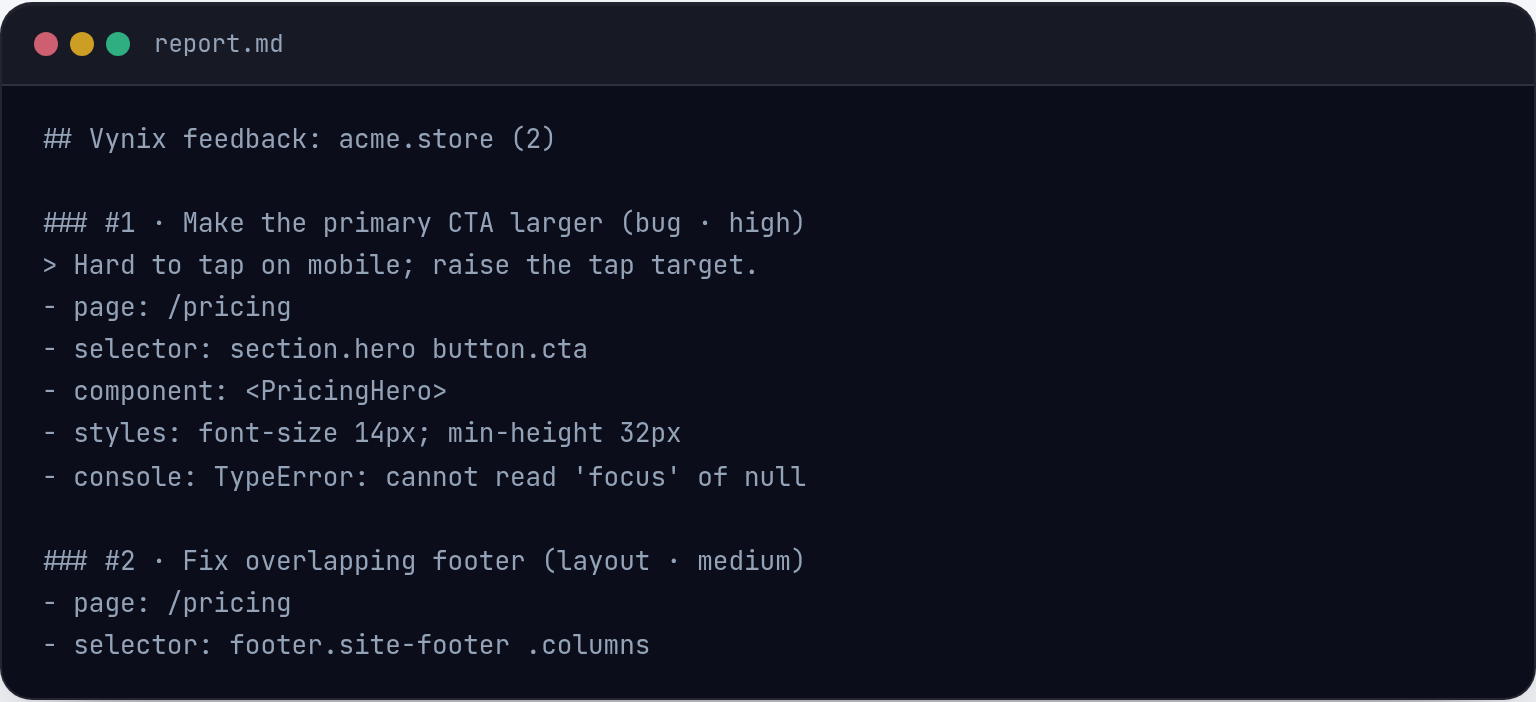
With click-to-annotate, a maintainer or contributor can point at the broken element on any page using the lightweight Vynix widget. Vynix captures the selected element, a screenshot, console output, and network context in one place.
Instead of a vague issue like "the button does not work", you get the UI target and the developer context behind it.
Move from triage to likely root cause faster
Vynix adds an AI diagnosis of the likely root cause based on the captured page context. It is not a replacement for maintainer judgment, but it gives you a better starting point than a blank issue thread.
Use it to sort reports, spot frontend errors or failed requests, and decide whether the issue is ready to fix, needs more review, or should be closed.

Hand off clean work to GitHub or a coding agent
Once the report is clear, you can copy a ready-to-build prompt or open a GitHub issue from Vynix. If your project uses coding agents, you can assign the issue with the captured context already attached.
Projects, roles, sharing, and review rounds help maintainers keep bug review organized across volunteers, core team members, and contributors.
What you get
- Click-to-annotate any page so contributors can show the exact broken element instead of describing it from memory.
- Automatic developer context captures screenshots, console output, network context, and element details for cleaner triage.
- AI root-cause diagnosis gives maintainers a first pass on what might be failing before they spend time reproducing it.
- GitHub issue creation and ready-to-build prompts help turn confirmed reports into work a contributor or coding agent can start.
- Projects, roles, sharing, and review rounds help open source teams coordinate triage without losing context in long threads.
Frequently asked questions
Do contributors need to know how to inspect the browser console?
No. Vynix captures console and network context automatically when the issue is annotated, so contributors do not need to copy logs by hand.
Can Vynix open GitHub issues for an open source project?
Yes. From a captured annotation, you can open a GitHub issue and include the context needed to investigate or assign the work.
Does the AI diagnosis fix the bug automatically?
No. Vynix provides an AI diagnosis of the likely root cause and a ready-to-build prompt. A maintainer, contributor, or coding agent still reviews and implements the fix.
One script tag, a free plan, and your first report in a minute.
Get started free