Vynix for agencies
Vynix helps web and design agencies collect client feedback directly on staging and live sites. Clients click what is wrong, and your team gets the visual note plus the developer context needed to fix it.

The problem
Agency feedback often arrives as vague emails, screenshots without URLs, or comments like "the button looks off" with no way to reproduce the issue. Project managers have to translate client notes for designers and developers, while developers lose time asking for browser details, console errors, or the exact element. On busy review rounds, small issues get missed or duplicated across threads, docs, and ticket tools.
Collect feedback where the issue happens
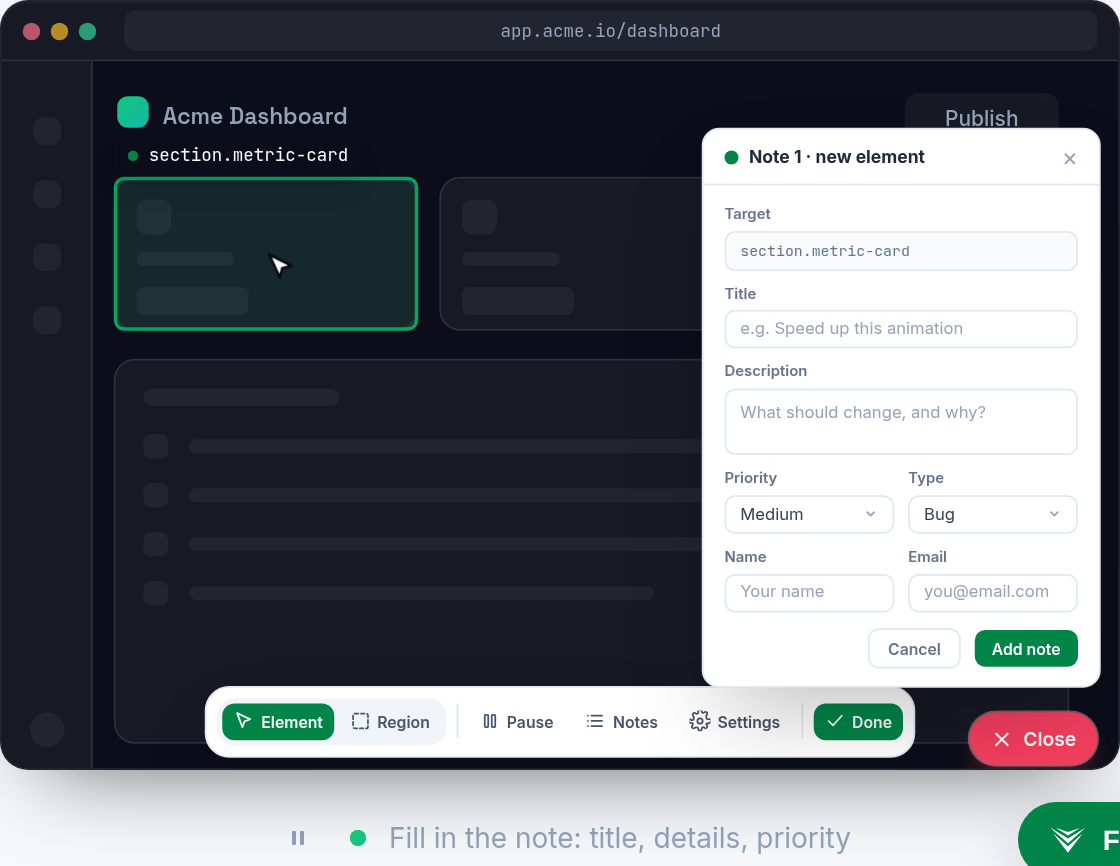
Add the lightweight Vynix widget to a staging or live site so clients can click on the exact element they want to comment on. Each annotation is tied to the page and visual context, instead of a separate screenshot or long email thread.
Use review rounds to keep feedback organized by phase, launch, or client pass. Projects, roles, and sharing help you invite the right people without turning every review into a messy group chat.
Give developers the context they usually have to ask for
When someone clicks to annotate, Vynix captures the element, a screenshot, console context, and network context. That gives your team more than a comment, it gives them the details needed to understand what happened on the page.
Vynix also provides an AI diagnosis of the likely root cause, so developers and technical leads can start from a clearer first pass. It is not a replacement for review, but it can reduce the back and forth before a fix begins.
Move from client note to build task faster
Once feedback is ready for implementation, your team can copy a ready-to-build prompt or open a GitHub issue. You can also assign it to a coding agent when that fits your workflow.
This keeps client feedback connected to execution, without forcing account managers to rewrite every comment into a technical ticket from scratch.
What you get
- Click-to-annotate any page helps clients point at the exact issue on staging or live sites, instead of sending vague screenshots.
- Automatic developer context captures the element, screenshot, console, and network details, reducing follow-up questions from developers.
- AI root-cause diagnosis gives the team a likely starting point for investigation, so fixes can move faster.
- GitHub issue creation and coding agent handoff help turn approved feedback into build work without retyping the same details.
- Review rounds, projects, roles, and sharing keep client feedback organized across teams, clients, and launch phases.
Frequently asked questions
Can clients use Vynix without learning a new project management tool?
Yes. Clients can leave feedback by using the widget on the site itself. Your internal team can then use the captured context, review rounds, and handoff options to manage the work.
Does Vynix work on both staging and live sites?
Yes. Vynix is built to be dropped onto any site with a lightweight widget, so agencies can use it during staging reviews and after a live launch.
Does Vynix replace GitHub issues or developer tools?
No. Vynix helps capture feedback and developer context, then lets you open a GitHub issue or copy a ready-to-build prompt. It supports your existing development workflow rather than replacing it.

One script tag, a free plan, and your first report in a minute.
Get started free