Usersnap vs Vynix
Usersnap and Vynix both help teams collect issues from websites, but they are built around different workflows. Usersnap is commonly used as a feedback platform with bug capture and surveys, while Vynix focuses on click-to-annotate reporting with developer context and AI-assisted handoff.

At a glance
| Capability | Vynix | Usersnap | Notes |
|---|---|---|---|
| Visual feedback and bug capture | Yes | Yes | Both can help teams capture issues directly from a website. |
| Survey-based feedback collection | No | Yes | Usersnap is known for feedback and surveys; Vynix is focused on annotation and developer context. |
| Click-to-annotate page issues | Yes | Yes | Both support visual issue reporting, though the downstream workflow differs. |
| Automatic console and network context | Yes | Varies | Vynix is built around automatic developer context; Usersnap details can depend on setup and plan. |
| AI root-cause diagnosis | Yes | Varies | Vynix includes AI diagnosis of likely causes; availability in Usersnap may depend on current features and plan. |
| GitHub issue handoff | Yes | Varies | Vynix can open GitHub issues; Usersnap handoff depends on integrations and configuration. |
| Coding agent handoff | Yes | Varies | Vynix is designed to assign issues to a coding agent or provide a ready-to-build prompt. |
| Projects, roles, and sharing | Yes | Yes | Both can support team workflows, though exact permissions and collaboration features may vary by plan. |
Different starting points
Usersnap is a fit when the main job is collecting structured feedback from users, customers, or internal teams. Its strength is combining visual feedback with feedback management workflows such as surveys and issue intake.
Vynix starts from the developer handoff problem. A reviewer clicks on the broken part of a page, and Vynix packages the visual annotation with technical context that can help a developer or coding agent investigate faster.
Bug reports and technical context
Both products can support bug reporting, but the depth and shape of the report can differ. Usersnap is known for feedback and bug capture, while technical details may depend on setup, integrations, and plan.
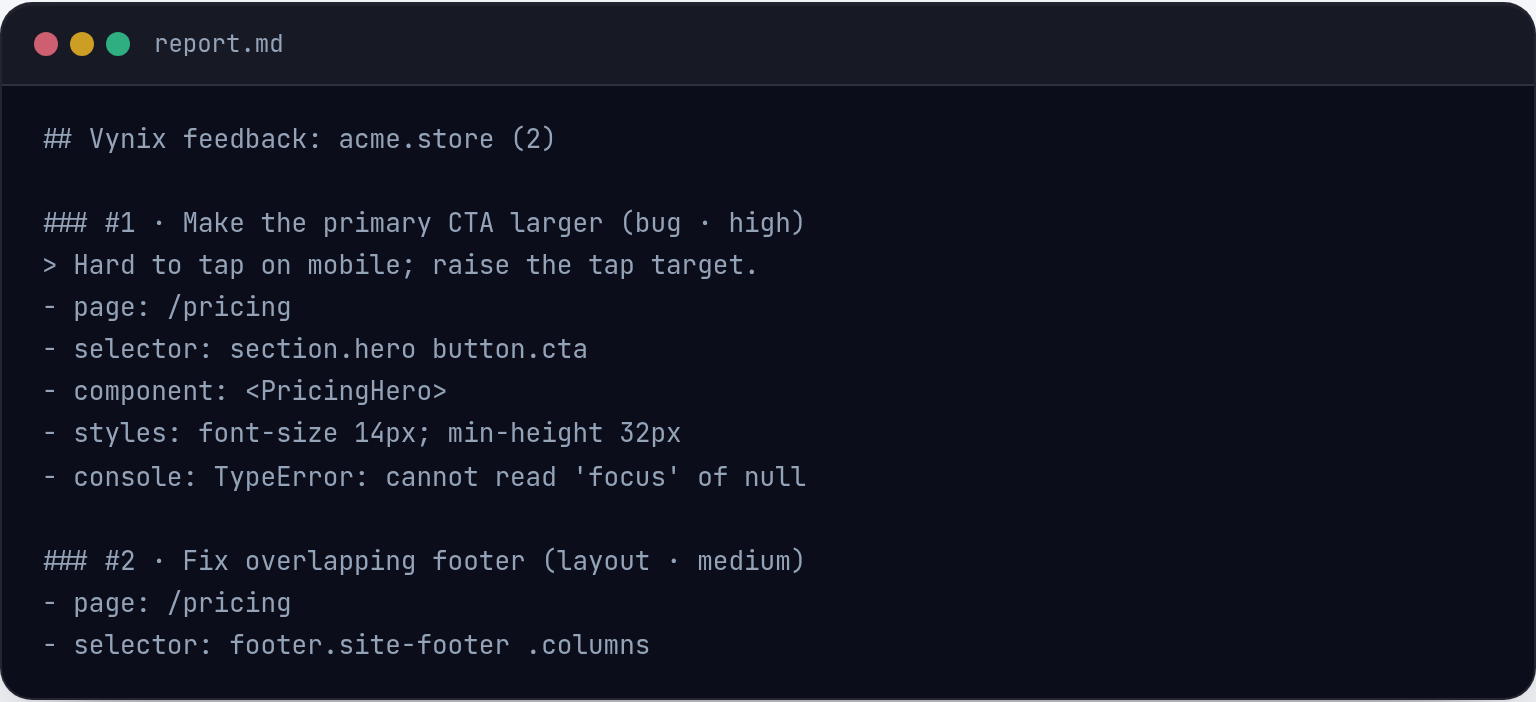
Vynix is designed to capture the clicked element, a screenshot, console and network context, and an AI diagnosis of the likely root cause. That makes it especially relevant for teams that want fewer back-and-forth questions between QA, product, design, and engineering.

From report to fix
For teams that manage feedback queues, prioritize user input, or run surveys, Usersnap can be the more natural hub. It is aimed at organizing feedback and turning it into actionable product or support work.
For teams that already know something is broken and want to move quickly into implementation, Vynix emphasizes developer-ready output. Reports can be copied as ready-to-build prompts or opened as GitHub issues and assigned to a coding agent.
Team collaboration
Both tools can be used by cross-functional teams, but the collaboration model is different. Usersnap is oriented around feedback collection and review, while Vynix is oriented around annotated review rounds, project sharing, roles, and engineering handoff.
The best choice depends on whether your team needs a broader feedback platform or a more developer-contextual annotation layer for websites in active development.
When Usersnap fits
Usersnap fits when you need a feedback platform for visual feedback, bug capture, and survey-based input from customers or internal users.
When Vynix fits
Vynix fits when you need click-to-annotate website issues with automatic developer context, AI diagnosis, and a fast handoff to GitHub or a coding agent.
Frequently asked questions
Is Usersnap or Vynix better for customer feedback?
Usersnap is generally the better fit when customer feedback and surveys are the main workflow. Vynix is better suited to website issue annotation and developer handoff.
Is Vynix a replacement for a feedback platform?
Not always. Vynix can collect annotated website issues, but it is not positioned as a survey-led feedback platform. Teams that need surveys and broad feedback management may still prefer a dedicated feedback platform.
Can both tools be used with engineering workflows?
Yes, both can support engineering workflows, but in different ways. Usersnap can feed bug reports into a feedback or issue process, while Vynix focuses on capturing technical context and handing work to GitHub or a coding agent.
Install Vynix on your site in a minute and capture your first report with full developer context.
Try Vynix freeThis comparison is maintained by the Vynix team and updated regularly. If something about Usersnap is inaccurate, email hello@vynix.in.