Userback vs Vynix
Userback and Vynix both help teams collect website feedback and turn it into actionable work. Userback is known for visual feedback and bug tracking, while Vynix is built around click-to-annotate reporting with developer context, AI diagnosis, and coding-agent handoff.

At a glance
| Capability | Vynix | Userback | Notes |
|---|---|---|---|
| Visual website feedback | Yes | Yes | Both products support website feedback, with Userback known in the visual feedback category. |
| Click-to-annotate page issues | Yes | Yes | Both can help users mark issues visually on a page. |
| Screenshot capture | Yes | Yes | Screenshot-based reporting is central to visual feedback workflows. |
| Automatic console and network context | Yes | Varies | Vynix emphasizes developer context capture. Userback capabilities may depend on configuration or plan. |
| AI root-cause diagnosis | Yes | Varies | Vynix includes AI diagnosis of likely causes. Comparable AI depth in Userback depends on current product and plan. |
| GitHub issue handoff | Yes | Varies | Vynix can open a GitHub issue. Userback integrations and routing options vary by setup. |
| Coding-agent handoff | Yes | Varies | Vynix is built to hand issues to a coding agent with context. Similar workflows in Userback depend on external integrations. |
| Projects, roles, and sharing | Yes | Varies | Both can support team workflows, but exact permissions and sharing features can vary by plan. |
Different approaches to website feedback
Userback is commonly used by product, design, QA, and customer-facing teams to collect visual feedback and bug reports from websites and web apps.
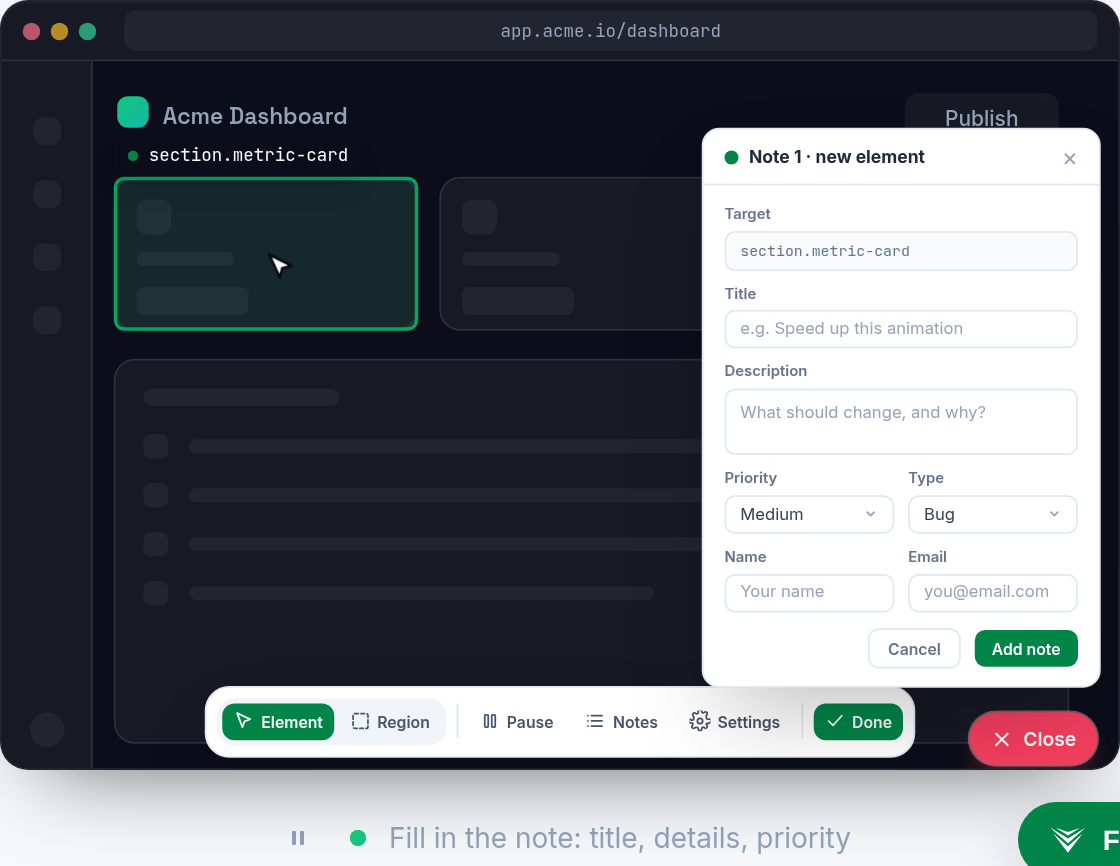
Vynix starts from the same moment of discovery, but is optimized for developer-ready reports. A user clicks the broken area, and Vynix captures page context that helps an engineer or coding agent understand what likely went wrong.
Developer context and debugging depth
For many feedback tools, the value is in screenshots, comments, and workflow routing. That is useful when the issue is clear or when a triage team can reproduce it.
Vynix adds automatic developer context, including the selected element, screenshot, console and network context, and an AI root-cause diagnosis. This can reduce the back-and-forth often needed before a bug is ready to build or fix.

Workflow and handoff
Userback fits teams that want visual feedback and bug tracking workflows, often alongside project management or issue tracking tools. Available integrations and workflow depth can vary by plan and setup.
Vynix is designed for teams that want to move from report to implementation faster. It can produce a ready-to-build prompt or open a GitHub issue and assign it to a coding agent.
Choosing the right fit
If your main need is collecting visual comments from stakeholders, testers, or customers, Userback may be the more familiar category fit.
If your main bottleneck is turning vague website issues into developer-ready tasks with context and AI assistance, Vynix is likely the better match.
When Userback fits
Userback fits teams that want a visual feedback and bug tracking tool for collecting website comments, screenshots, and issue reports.
When Vynix fits
Vynix fits teams that want click-to-annotate reports with automatic developer context, AI root-cause diagnosis, and direct handoff to GitHub or a coding agent.
Frequently asked questions
What is the main difference between Userback and Vynix?
Userback is known for visual feedback and bug tracking, while Vynix focuses on turning a clicked website issue into a developer-ready report with element data, screenshot, console and network context, AI diagnosis, and handoff options.
Can both tools be used for website bug reports?
Yes. Both can be used to collect website bug reports. The difference is that Vynix is more focused on capturing technical context and preparing the issue for implementation.
Which tool is better for teams using coding agents?
Vynix is designed for this workflow because it can generate a ready-to-build prompt or open a GitHub issue and assign it to a coding agent. Userback may still fit teams that prefer a traditional visual feedback and bug tracking process.
Install Vynix on your site in a minute and capture your first report with full developer context.
Try Vynix freeThis comparison is maintained by the Vynix team and updated regularly. If something about Userback is inaccurate, email hello@vynix.in.