Sentry vs Vynix
Sentry and Vynix both help teams understand and fix problems in software, but they start from different moments in the workflow. Sentry is built around automatic application error and performance monitoring, while Vynix is built around click-to-annotate feedback with developer context captured from the page.

At a glance
| Capability | Vynix | Sentry | Notes |
|---|---|---|---|
| Automatic error monitoring | Partial | Yes | Sentry is built for continuous error monitoring, while Vynix captures context around reported page issues. |
| Performance monitoring | Partial | Yes | Sentry focuses on performance telemetry. Vynix may capture network context for an annotated issue, but is not primarily an APM tool. |
| Click-to-annotate website issues | Yes | Partial | Vynix is designed for selecting the problem directly on the page. Sentry workflows usually start from monitored events, with related tools varying by setup. |
| Screenshot and page context capture | Yes | Varies | Vynix captures screenshots and element context for annotations. Sentry context depends on configuration and product usage. |
| Console and network context | Yes | Varies | Vynix captures console and network context for the selected page issue. Sentry can capture technical context depending on SDKs and configuration. |
| AI root-cause diagnosis | Yes | Varies | Vynix includes an AI diagnosis for likely causes. Sentry AI-assisted capabilities can depend on plan, product, and setup. |
| Open GitHub issue or hand off to coding agent | Yes | Varies | Vynix is designed to create ready-to-build prompts and GitHub issues. Sentry integrations and automation options vary. |
| Review rounds, projects, roles, and sharing | Yes | Varies | Vynix includes collaboration workflows for annotated website feedback. Sentry has team and project features, with details depending on plan. |
Different starting points
Sentry is usually installed to monitor an application continuously. It captures errors, performance data, and related context when problems occur in production or other environments.
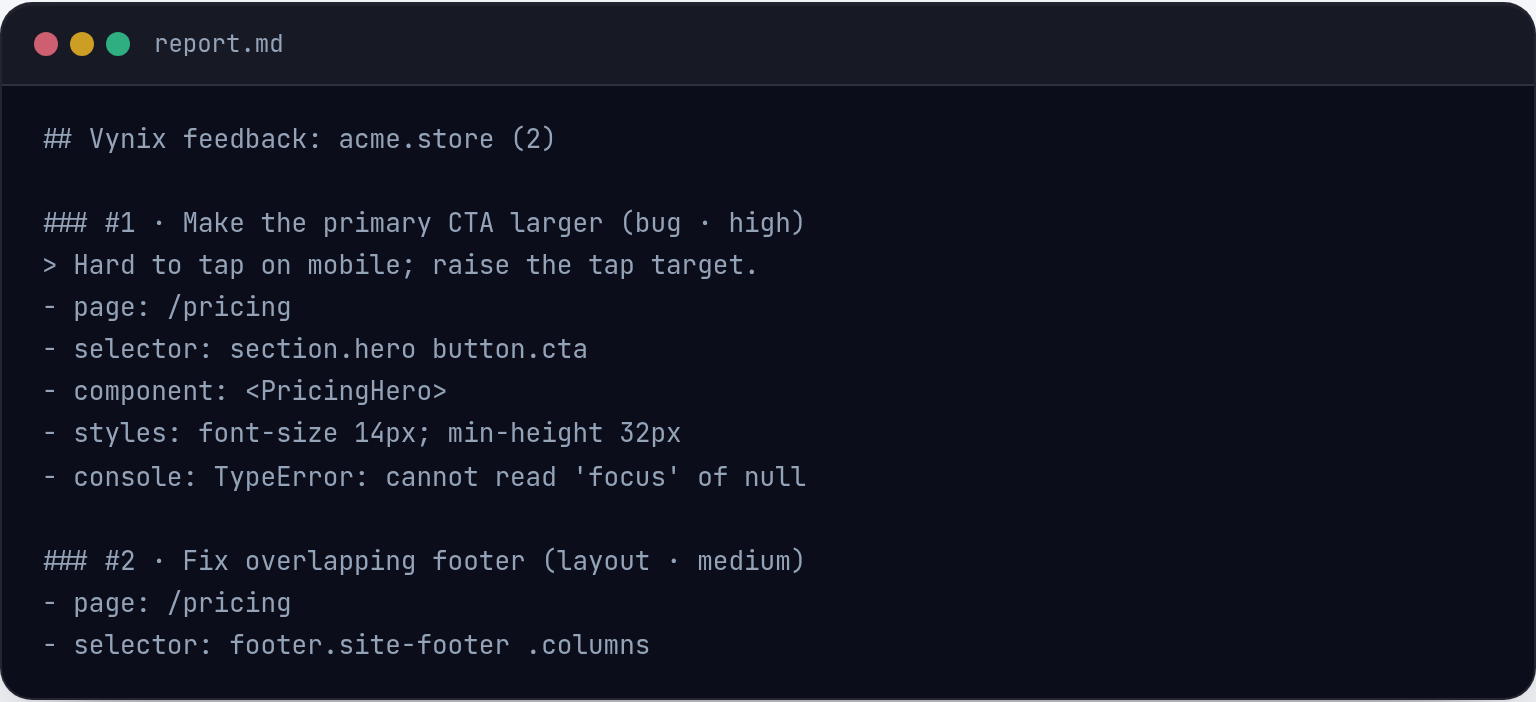
Vynix starts when a person sees something wrong on a website and clicks the affected element. It turns that visual feedback into developer-ready context, including a screenshot, element details, console and network information, and an AI diagnosis.
Monitoring vs annotated feedback
Sentry is a strong fit for teams that need automated visibility into exceptions, crashes, slow transactions, and trends over time. It helps engineering teams detect and prioritize issues that may not be manually reported.
Vynix is focused on reducing back-and-forth when a reviewer, stakeholder, QA tester, or developer notices a specific UI or website issue. Instead of describing the problem in a long message, the reporter can click the page and capture the surrounding technical context.

Developer handoff
Both tools can support engineering workflows, but the handoff looks different. Sentry issues typically come from monitored runtime events and can be triaged by engineers using stack traces, tags, breadcrumbs, and related data depending on setup.
Vynix packages a user-selected page issue into a ready-to-build prompt or a GitHub issue, with the option to assign it to a coding agent. This makes it useful for teams that want annotated feedback to flow directly into AI-assisted development.
How to choose
The choice depends on whether the main problem is ongoing application observability or faster communication around visible website issues. Many teams may use an error monitoring tool like Sentry alongside an annotation and handoff tool like Vynix.
When Sentry fits
Sentry fits when you need automatic error and performance monitoring across applications and environments.
When Vynix fits
Vynix fits when you need to click on website issues, capture developer context, and hand off a clear task to a human or coding agent.
Frequently asked questions
Is Sentry the same type of tool as Vynix?
No. Sentry is primarily an error and performance monitoring platform, while Vynix is a website annotation and developer-context tool for reporting visible page issues.
Can a team use Sentry and Vynix together?
Yes. A team could use Sentry for automatic monitoring and Vynix for click-based feedback, AI diagnosis, and handoff of specific website issues.
Which tool is better for non-engineers reporting website bugs?
Vynix is likely a better fit for that workflow because it lets someone click the affected page element and capture the context developers need without writing a long technical report.
Install Vynix on your site in a minute and capture your first report with full developer context.
Try Vynix freeThis comparison is maintained by the Vynix team and updated regularly. If something about Sentry is inaccurate, email hello@vynix.in.