MarkUp.io vs Vynix
MarkUp.io and Vynix both help teams leave feedback directly on digital work, but they are built for different follow-up workflows. MarkUp.io is known for visual feedback across live sites, images and PDFs, while Vynix focuses on turning website issues into developer-ready context and agent handoffs.

At a glance
| Capability | Vynix | MarkUp.io | Notes |
|---|---|---|---|
| Visual feedback on live websites | Yes | Yes | Both tools support leaving feedback directly on web pages. |
| Image and PDF review | No | Yes | MarkUp.io is known for feedback on images and PDFs, while Vynix is focused on websites. |
| Click-to-annotate page elements | Yes | Yes | Both support pointing at areas of a page, with Vynix emphasizing element-level developer context. |
| Automatic console and network context | Yes | Varies | Vynix captures technical context automatically. Comparable depth in other workflows may depend on setup or integrations. |
| AI root-cause diagnosis | Yes | Varies | Vynix includes an AI diagnosis of the likely cause. AI availability in MarkUp.io workflows may vary by product updates or plan. |
| GitHub issue or coding agent handoff | Yes | Varies | Vynix is designed to move annotated issues into GitHub or agent-ready prompts. Other handoff paths can depend on integrations. |
| Review rounds and shared projects | Yes | Yes | Both can support collaborative review workflows for teams. |
| Roles and sharing | Yes | Varies | Vynix includes projects, roles and sharing. MarkUp.io sharing and permission details can depend on the plan. |
Core use case
MarkUp.io fits teams that need a straightforward way to collect visual comments on web pages and creative assets. It is often used for review cycles where clients, designers, marketers and stakeholders need to point at what should change.
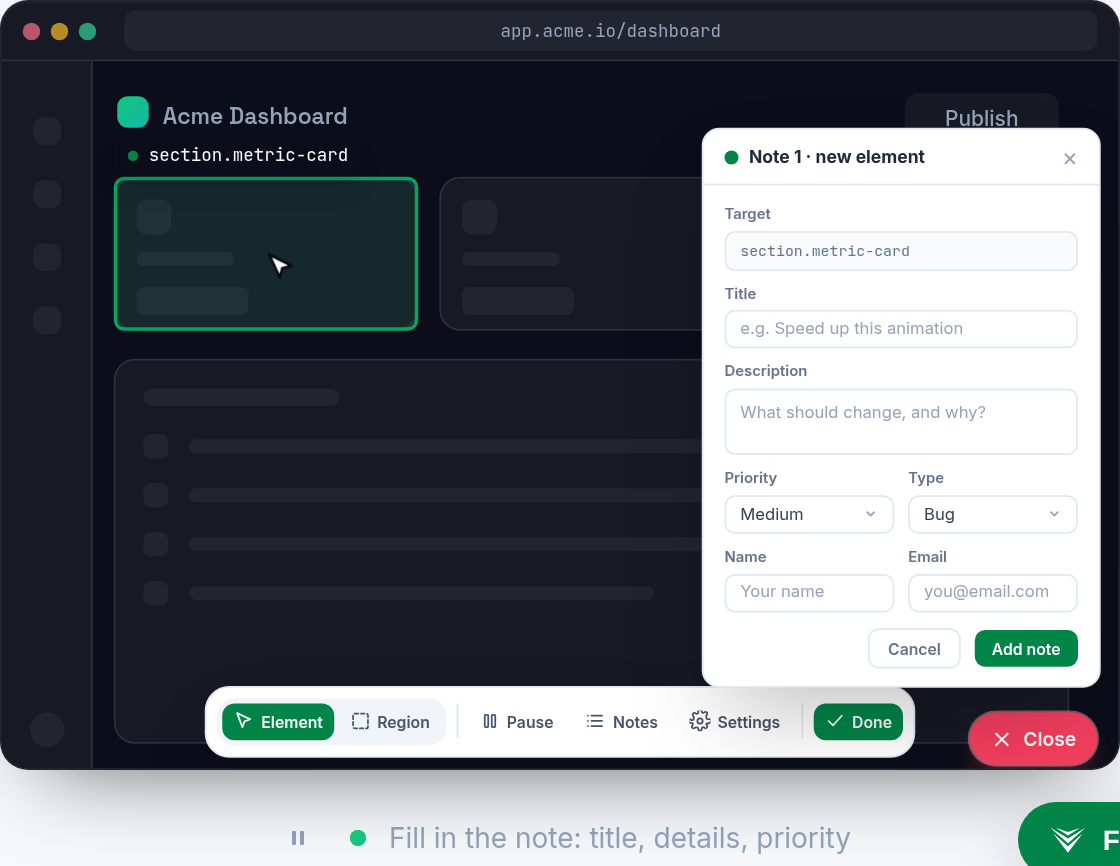
Vynix is built around website annotation with developer context. A user clicks the broken or confusing part of a page, and Vynix captures surrounding technical signals so the issue can move closer to implementation.
From feedback to engineering work
A key difference is what happens after a comment is created. MarkUp.io is centered on visual review and collaboration, while downstream engineering workflow depth can depend on how a team connects it with its existing tools.
Vynix captures the selected element, screenshot, console and network context, then adds an AI diagnosis of the likely root cause. The result can be copied as a ready-to-build prompt or opened as a GitHub issue for a coding agent.
Review formats and stakeholders
MarkUp.io has an advantage when the review set includes more than websites, such as images and PDFs. That makes it a strong fit for broader creative proofing and stakeholder approval workflows.
Vynix is more focused on live website and web app issues. It is designed for teams that want feedback to carry enough technical detail for a developer or coding agent to investigate without repeated back-and-forth.
Collaboration and ownership
Both tools can support team collaboration, review rounds and shared projects, though the exact experience and limits can depend on the plan. The practical choice often comes down to whether the team values broad visual review coverage or a developer-context workflow.
If feedback usually needs to become an engineering task, Vynix provides a more direct path from page annotation to issue context. If the work is mostly creative review across multiple asset types, MarkUp.io may be the simpler fit.

When MarkUp.io fits
MarkUp.io fits when your team needs visual feedback on live sites, images and PDFs with a review workflow for clients and stakeholders.
When Vynix fits
Vynix fits when website feedback needs to include developer context, AI diagnosis and a direct handoff to GitHub or a coding agent.
Frequently asked questions
Is MarkUp.io or Vynix better for client feedback?
It depends on the type of feedback. MarkUp.io is a strong fit for general visual review across sites, images and PDFs, while Vynix is better suited when client feedback needs to become developer-ready website work.
Can Vynix replace a visual proofing tool?
Not for every workflow. Vynix is focused on annotating websites and capturing developer context, so teams that need PDF or image proofing may still prefer a visual feedback tool like MarkUp.io.
Which tool is better for developers?
Vynix is more developer-oriented because it captures the page element, screenshot, console and network context, then provides AI diagnosis and handoff options. MarkUp.io can still be useful when developers need clear visual comments from stakeholders.
Install Vynix on your site in a minute and capture your first report with full developer context.
Try Vynix freeThis comparison is maintained by the Vynix team and updated regularly. If something about MarkUp.io is inaccurate, email hello@vynix.in.