Jira vs Vynix
Jira and Vynix both help teams move work toward engineering, but they start from different places. Jira is a configurable issue and project management system, while Vynix is focused on capturing website problems with the technical context developers need to act.

At a glance
| Capability | Vynix | Jira | Notes |
|---|---|---|---|
| Configurable issue tracking | Partial | Yes | Jira is designed around configurable issues, workflows, and boards; Vynix focuses more on website feedback capture and handoff. |
| Click-to-annotate a live website | Yes | Varies | Vynix provides page-level annotation through a widget; Jira may support feedback capture through forms, apps, or integrations. |
| Automatic console and network context | Yes | Varies | Vynix captures technical browser context automatically; Jira reports may require manual detail or connected tooling. |
| AI root-cause diagnosis | Yes | Varies | Vynix includes an AI diagnosis of the likely root cause; AI capabilities in Jira depend on product edition, configuration, and connected tools. |
| Handoff to a coding agent | Yes | Varies | Vynix supports ready-to-build prompts and GitHub issue handoff; Jira automation or agent workflows depend on setup and integrations. |
| Review rounds for website fixes | Yes | Partial | Vynix includes review rounds around website context; Jira can track review tasks but is not primarily a visual review layer. |
| Projects, roles, and sharing | Yes | Yes | Both support organizing work and controlling access, though Jira typically offers deeper workflow and permission configuration. |
| Sprint planning and agile reporting | Partial | Yes | Jira is commonly used for sprint boards, backlogs, and reports; Vynix is focused on feedback capture and developer-ready context. |
Different starting points
Jira is commonly used as a central system for planning, tracking, and managing software work across teams. It is flexible, highly configurable, and often supports broader workflows beyond a single website feedback loop.
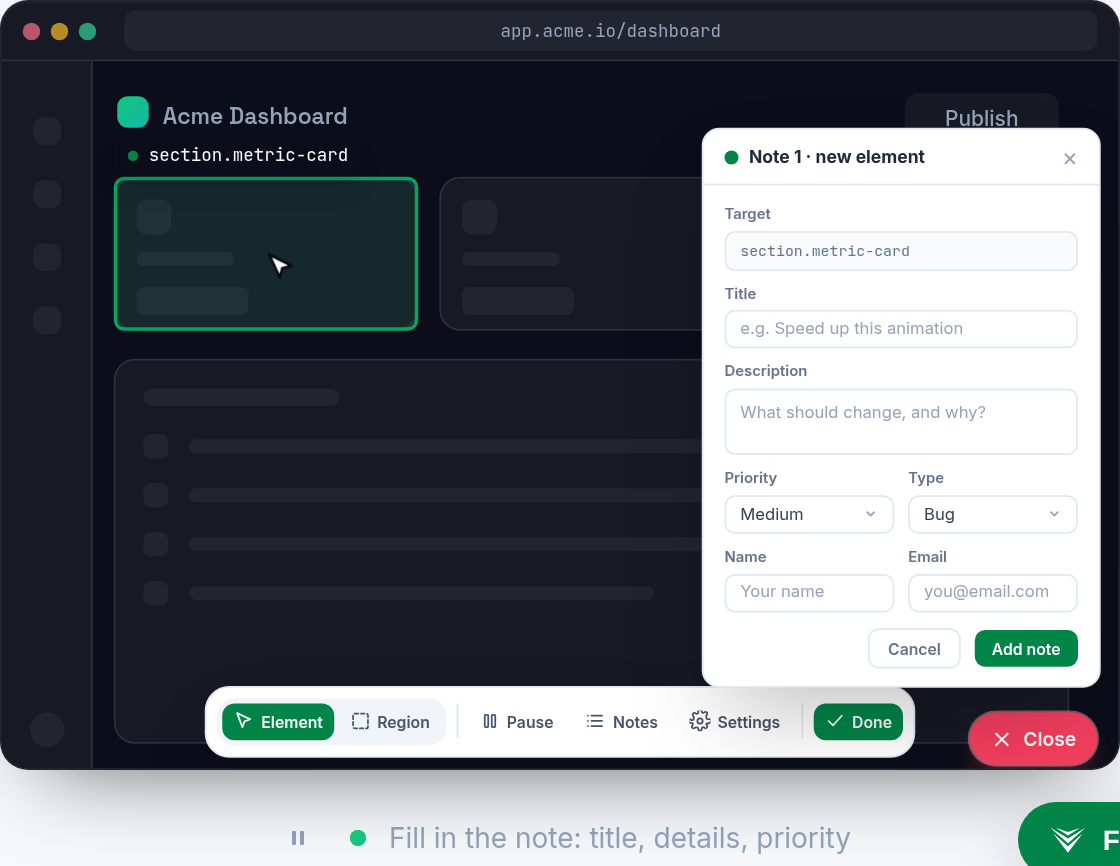
Vynix starts at the page where the problem happens. A user clicks on a broken element or confusing experience, and Vynix captures the page, element, screenshot, console activity, network context, and an AI diagnosis.
Capturing developer context
In Jira, the quality of a bug report usually depends on what the reporter includes, such as steps to reproduce, screenshots, logs, and environment details. Teams can standardize this with templates and integrations, but setup varies.
Vynix is built to collect technical context automatically from the website session. This can reduce back-and-forth when a designer, QA tester, product manager, or stakeholder reports an issue.

Handoff and resolution workflow
Jira is strong when teams need configurable statuses, boards, backlog grooming, reporting, permissions, and cross-team issue management. It can be the source of truth for engineering planning.
Vynix is more specialized for turning page-level feedback into a ready-to-build task. Teams can copy a prompt, open a GitHub issue, assign work to a coding agent, and run review rounds around the same website context.
How they can work together
These tools do not have to be mutually exclusive. A team may use Vynix to capture accurate website issues and use Jira to manage prioritization, sprint planning, and long-running delivery workflows.
The better fit depends on whether the main problem is managing work at scale or capturing actionable website context at the moment an issue is found.
When Jira fits
Jira fits when a team needs configurable project management, issue tracking, boards, reporting, and workflow governance across many types of work.
When Vynix fits
Vynix fits when a team needs fast website annotation, automatic developer context, AI diagnosis, and handoff from feedback to implementation.
Frequently asked questions
Is Vynix a replacement for Jira?
Not always. Vynix can replace lightweight website bug intake for some teams, but Jira is broader project and issue management software that many teams use for planning, reporting, and workflow control.
Can Jira capture the same technical context as Vynix?
It depends on the Jira setup. Jira can store screenshots, logs, fields, and data from integrations, while Vynix is built to capture element, screenshot, console, and network context directly from the website.
Which tool is better for reporting website bugs?
Vynix is usually a better fit when the priority is fast page annotation and automatic developer context. Jira is usually a better fit when the priority is structured issue management after the bug has been accepted into the team workflow.
Install Vynix on your site in a minute and capture your first report with full developer context.
Try Vynix freeThis comparison is maintained by the Vynix team and updated regularly. If something about Jira is inaccurate, email hello@vynix.in.