Jam vs Vynix
Jam and Vynix both help teams turn website problems into actionable developer work. Jam is known for one-click bug reports with console and network logs, while Vynix focuses on click-to-annotate website feedback with developer context, AI diagnosis, and agent handoff.

At a glance
| Capability | Vynix | Jam | Notes |
|---|---|---|---|
| One-click bug report capture | Yes | Yes | Both can help capture website issues quickly. |
| Console and network logs | Yes | Yes | Jam is known for this, and Vynix also captures developer context. |
| Click-to-annotate any page | Yes | Partial | Vynix is built around element-level website annotation. |
| Automatic element and screenshot context | Yes | Varies | Jam captures useful bug context, while element-level capture may depend on workflow or setup. |
| AI root-cause diagnosis | Yes | Varies | AI-assisted analysis depends on the product plan and configuration. |
| Ready-to-build prompt | Yes | Varies | Vynix packages context for implementation; comparable output in Jam depends on workflow. |
| GitHub issue and coding agent handoff | Yes | Varies | Issue tracker and agent workflows depend on integrations and setup. |
| Projects, roles, sharing, and review rounds | Yes | Varies | Both can support collaboration, but formal review workflows vary. |
Core focus
Jam is primarily a bug reporting tool for capturing issues quickly and sharing technical context with developers.
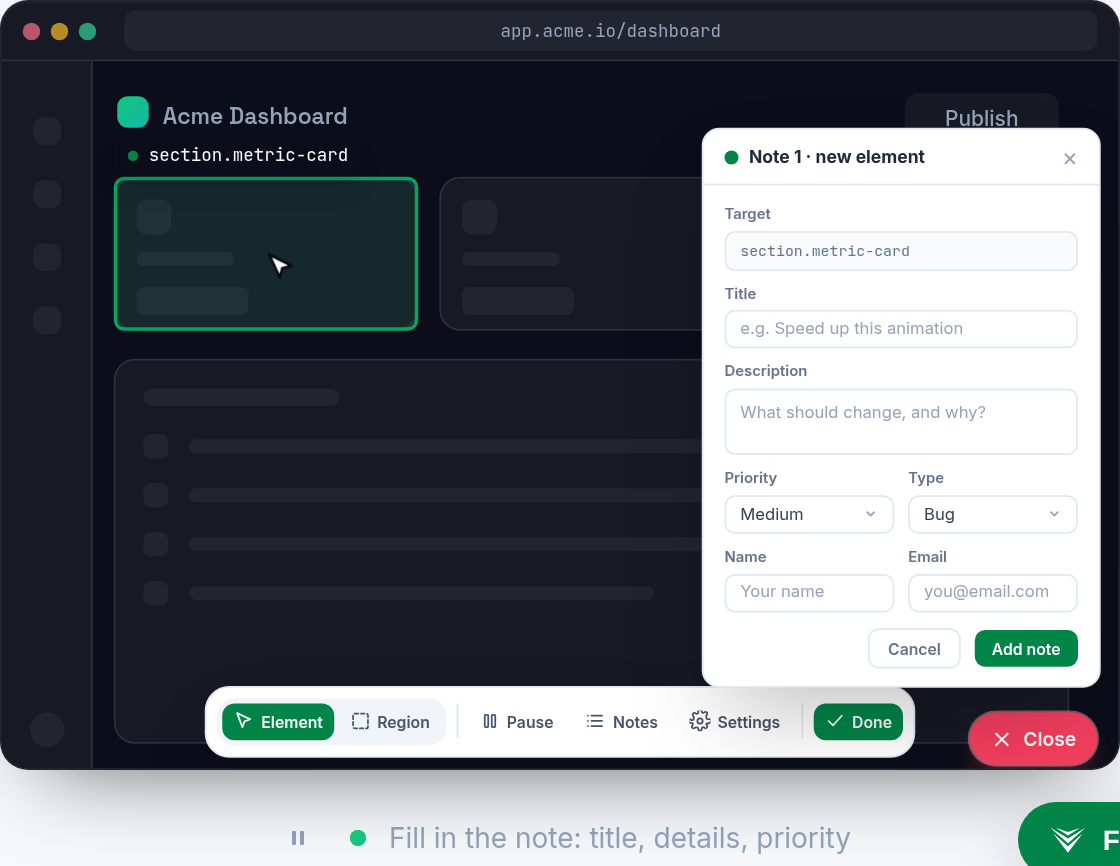
Vynix is built around website annotation and developer-context capture, so a reviewer can click the exact broken element and package the issue for a developer or coding agent.
Developer context
Both tools can help reduce back-and-forth by collecting technical details such as console and network context.
Vynix adds element capture, screenshot context, and an AI root-cause diagnosis designed to explain what may be wrong before the task reaches engineering.

Handoff workflow
Jam fits teams that want fast bug reports to move into their existing product or engineering workflow.
Vynix is oriented toward creating a ready-to-build prompt or GitHub issue and assigning it to a coding agent, with review rounds to keep fixes moving.
Team collaboration
Both products can support collaboration, but the best fit depends on how your team reviews, prioritizes, and routes website issues.
Vynix includes projects, roles, sharing, and review rounds for teams that want an annotation-to-fix workflow in one place.
When Jam fits
Jam fits teams that want quick one-click bug reports with console and network logs for their existing engineering workflow.
When Vynix fits
Vynix fits teams that want to annotate live websites, capture developer context, diagnose likely causes with AI, and hand issues to a coding agent.
Frequently asked questions
Is Jam or Vynix better for quick bug reports?
Jam is a strong fit when the main need is fast bug reporting with console and network logs. Vynix is better suited when the report also needs element annotation, AI diagnosis, and a handoff path to a developer or coding agent.
Do both tools capture developer context?
Yes. Jam is known for capturing console and network logs, and Vynix captures console, network, screenshot, and element context for annotated website issues.
Which tool is better for coding agent workflows?
Vynix is designed to create ready-to-build prompts and GitHub issues that can be assigned to a coding agent. Jam may fit agent workflows depending on the team's integrations and process.
Install Vynix on your site in a minute and capture your first report with full developer context.
Try Vynix freeThis comparison is maintained by the Vynix team and updated regularly. If something about Jam is inaccurate, email hello@vynix.in.