ClickUp vs Vynix
ClickUp and Vynix solve different parts of the work management process. ClickUp is an all-in-one project and task management platform, while Vynix focuses on turning website feedback into developer-ready context.

At a glance
| Capability | Vynix | ClickUp | Notes |
|---|---|---|---|
| General project and task management | Partial | Yes | ClickUp is centered on task and project workflows, while Vynix is more focused on website issue capture. |
| Click-to-annotate a live website | Yes | Varies | Vynix is built around page annotation. ClickUp support depends on the capture method or connected tools. |
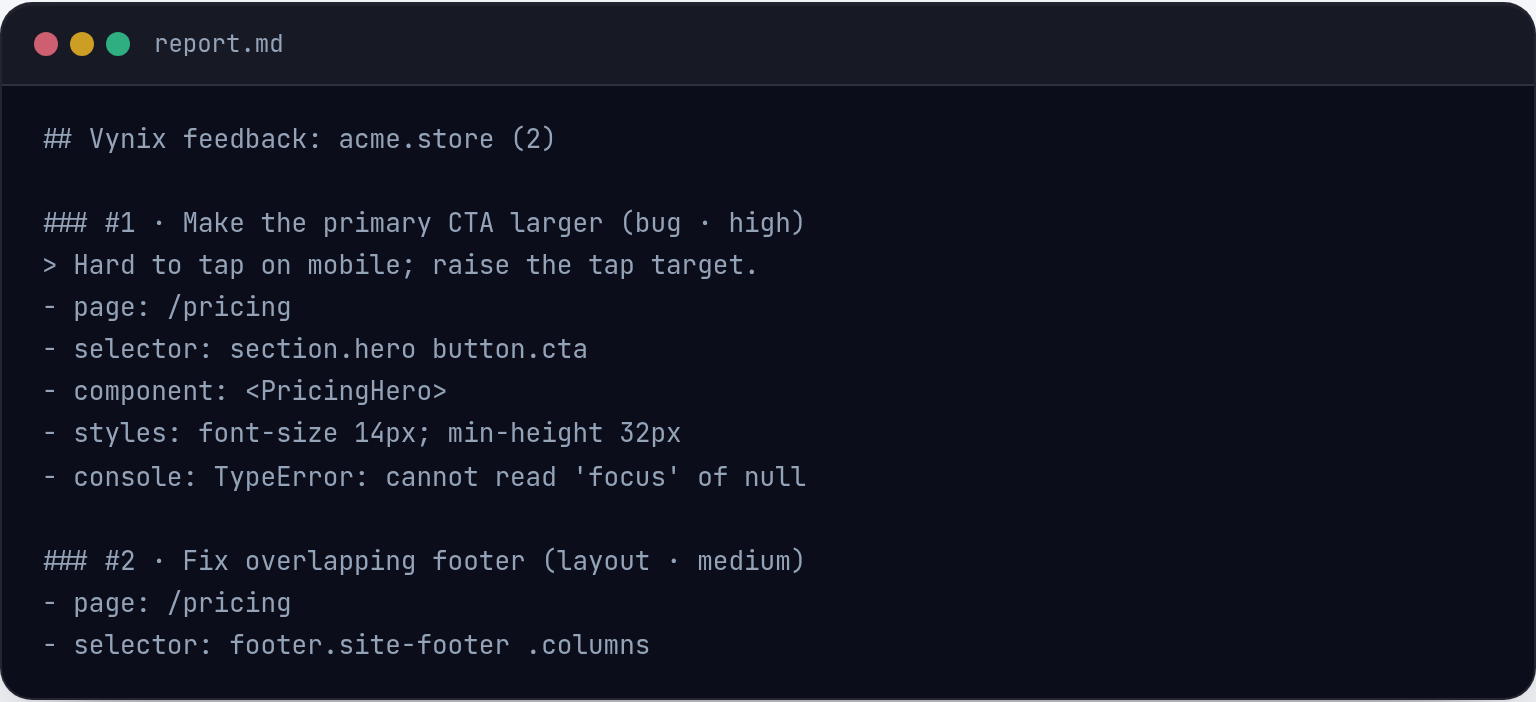
| Automatic element, screenshot, console, and network context | Yes | Varies | Vynix captures developer context from the page. In ClickUp, this typically depends on integrations or manual attachment. |
| AI root-cause diagnosis for website issues | Yes | Varies | Vynix provides an AI diagnosis tied to captured page context. ClickUp AI capabilities vary by plan and workflow. |
| Ready-to-build prompt for a coding agent | Yes | Varies | Vynix can generate a handoff prompt from the captured issue. ClickUp may support AI-assisted workflows, but setup varies. |
| GitHub issue handoff | Yes | Varies | Vynix supports opening a GitHub issue. ClickUp GitHub workflows depend on integrations and configuration. |
| Review rounds for website fixes | Yes | Partial | Vynix includes review rounds for feedback cycles. ClickUp can manage review tasks, but the website-specific flow may require setup. |
| Roles, projects, and sharing | Yes | Yes | Both support team organization and collaboration, though they apply it to different primary workflows. |
Core focus
ClickUp is built for organizing work across teams, with tasks, views, docs, goals, automations, and reporting depending on the plan and setup.
Vynix is built for website issue capture. A reviewer clicks on a problem on the page, and Vynix packages the visual annotation with technical context for developers or coding agents.
Website feedback workflow
For general project tracking, ClickUp can be a strong fit because teams can manage priorities, owners, due dates, and cross-functional workflows in one workspace.
For visual website QA, Vynix reduces the back-and-forth that often happens when a bug report says something like "the button is broken" without the element, screenshot, console output, or network clues.

Developer context
Vynix captures page-level context automatically, including the selected element, screenshot, console and network context, and an AI diagnosis of the likely root cause.
ClickUp can store and route technical details, and many teams connect it with developer tools. The amount of automatic browser and runtime context depends on the workflow and integrations used.
Handoff and collaboration
ClickUp is well suited for ongoing team coordination, status tracking, and broader planning across departments.
Vynix is designed for the handoff from website feedback to implementation, including ready-to-build prompts, GitHub issue creation, review rounds, projects, roles, and sharing.
When ClickUp fits
ClickUp fits when a team needs a broad project management system for tasks, planning, collaboration, and reporting across many types of work.
When Vynix fits
Vynix fits when a team needs to capture website issues with technical context and hand them off quickly to developers or coding agents.
Frequently asked questions
Is ClickUp a replacement for Vynix?
Not exactly. ClickUp is a broad project management platform, while Vynix is focused on capturing website issues with developer context and preparing them for implementation.
Can Vynix replace ClickUp for project management?
Usually no. Vynix has projects, roles, sharing, and review workflows, but it is not positioned as a full all-in-one project management platform like ClickUp.
Can the two tools be used together?
Yes. A team could use Vynix to capture and diagnose website issues, then use ClickUp for broader planning, prioritization, and team coordination.
Install Vynix on your site in a minute and capture your first report with full developer context.
Try Vynix freeThis comparison is maintained by the Vynix team and updated regularly. If something about ClickUp is inaccurate, email hello@vynix.in.