The best website feedback tools in 2026
Website feedback tools help teams turn vague comments like "this looks broken" into clear, actionable tasks. The best choice depends on who is giving feedback, how technical your team is, and whether you need simple annotations, full bug reports, or deeper developer context.

What to look for
- Easy visual feedback for clients, QA, and internal teams
- Clear screenshots, annotations, and page context
- Useful integrations with issue trackers and project tools
- Developer details like browser, console, and network data
- Simple setup that works across real websites and staging environments
1. Vynix (our pick for context and AI handoff)
Best for: teams that want visual feedback with developer context and an AI diagnosis that hands work to a coding agent.
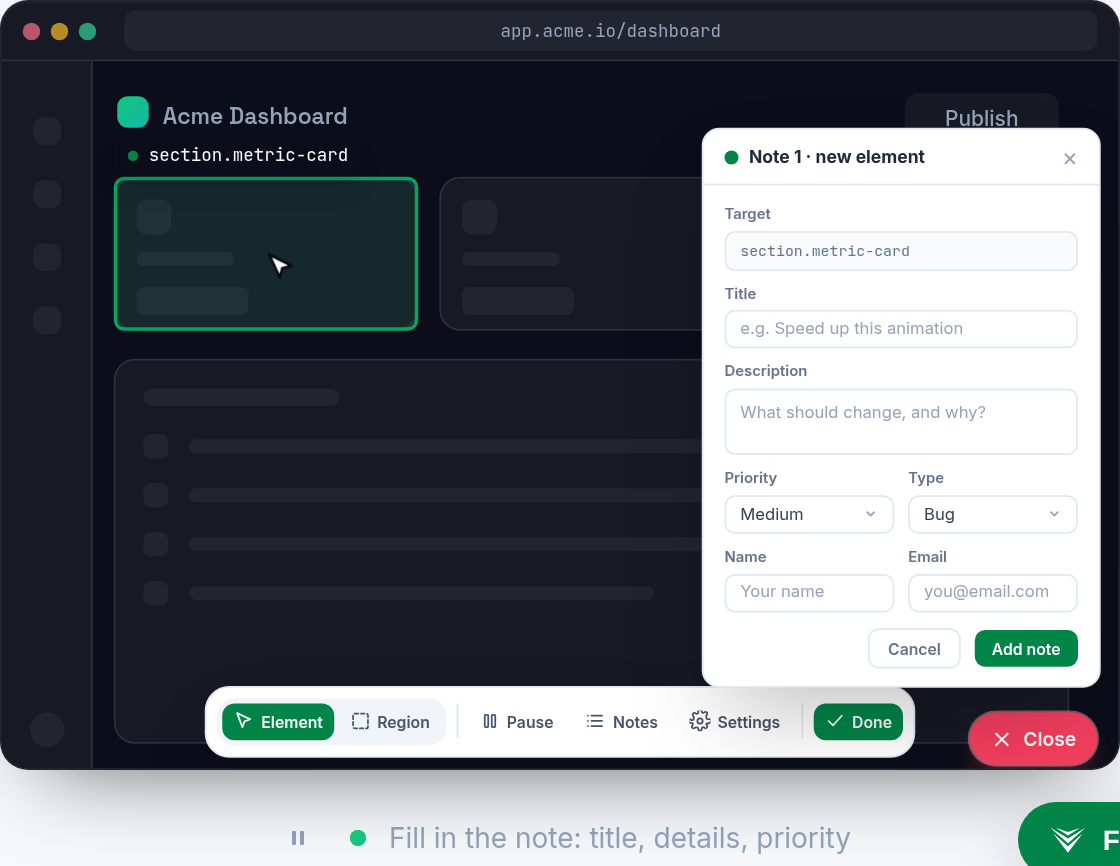
Vynix fits best for teams that want website feedback to arrive with developer context, not just screenshots and comments. Its widget captures the clicked element, screenshot, console and network details, and an AI diagnosis, then lets you copy a build-ready prompt or open a GitHub issue for a coding agent. It is especially relevant for product and engineering teams that want to reduce back-and-forth between QA, stakeholders, and developers.
2. Marker.io
Best for: visual website feedback that syncs to issue trackers.
Marker.io is known for visual website feedback that syncs to issue trackers.

3. BugHerd
Best for: point-and-click website feedback for agencies.
BugHerd is known for point-and-click website feedback for agencies.
4. Ruttl
Best for: visual website feedback and design review.
Ruttl is known for visual website feedback and design review.
5. Pastel
Best for: website feedback and design review with annotations.
Pastel is known for website feedback and design review with annotations.
6. MarkUp.io
Best for: visual feedback on live sites, images and PDFs.
MarkUp.io is known for visual feedback on live sites, images and PDFs.
7. Userback
Best for: visual feedback and bug tracking.
Userback is known for visual feedback and bug tracking.
Frequently asked questions
What is a website feedback tool?
A website feedback tool lets users, clients, QA teams, or stakeholders leave comments directly on a live or staged website. Most tools capture a screenshot or page location, and some also collect technical details like browser data, console logs, and network activity.
What is the difference between website feedback tools and bug tracking tools?
Website feedback tools focus on capturing visual, page-specific feedback from the site itself. Bug tracking tools focus on managing issues after they are created. Many teams use both, with feedback tools sending clear reports into platforms like Jira, GitHub, Trello, or similar systems.
Which website feedback tool is best for developers?
For developers, the best tool is usually one that captures enough context to reproduce and fix the issue quickly. Look for screenshot annotations, browser and device details, console logs, network information, and integrations with the issue tracker or code workflow your team already uses.
Install Vynix on your site and capture one real report with full context. You will see the difference in a minute.
Get started free