The best feedback tools for teams using AI coding agents
AI coding agents can move faster when feedback includes the right context, not just a short description of what is broken. The best feedback tools help teams capture clear reports, technical details, and workflow signals that can be handed to developers or agents with less back-and-forth.

What to look for
- Captures visual feedback with screenshots or page context
- Includes developer details like console, network, or error data
- Fits into existing issue tracking and engineering workflows
- Makes reports clear enough for humans and AI coding agents
- Keeps setup and day-to-day use lightweight for the team
1. Vynix (our pick for context and AI handoff)
Best for: teams that want visual feedback with developer context and an AI diagnosis that hands work to a coding agent.
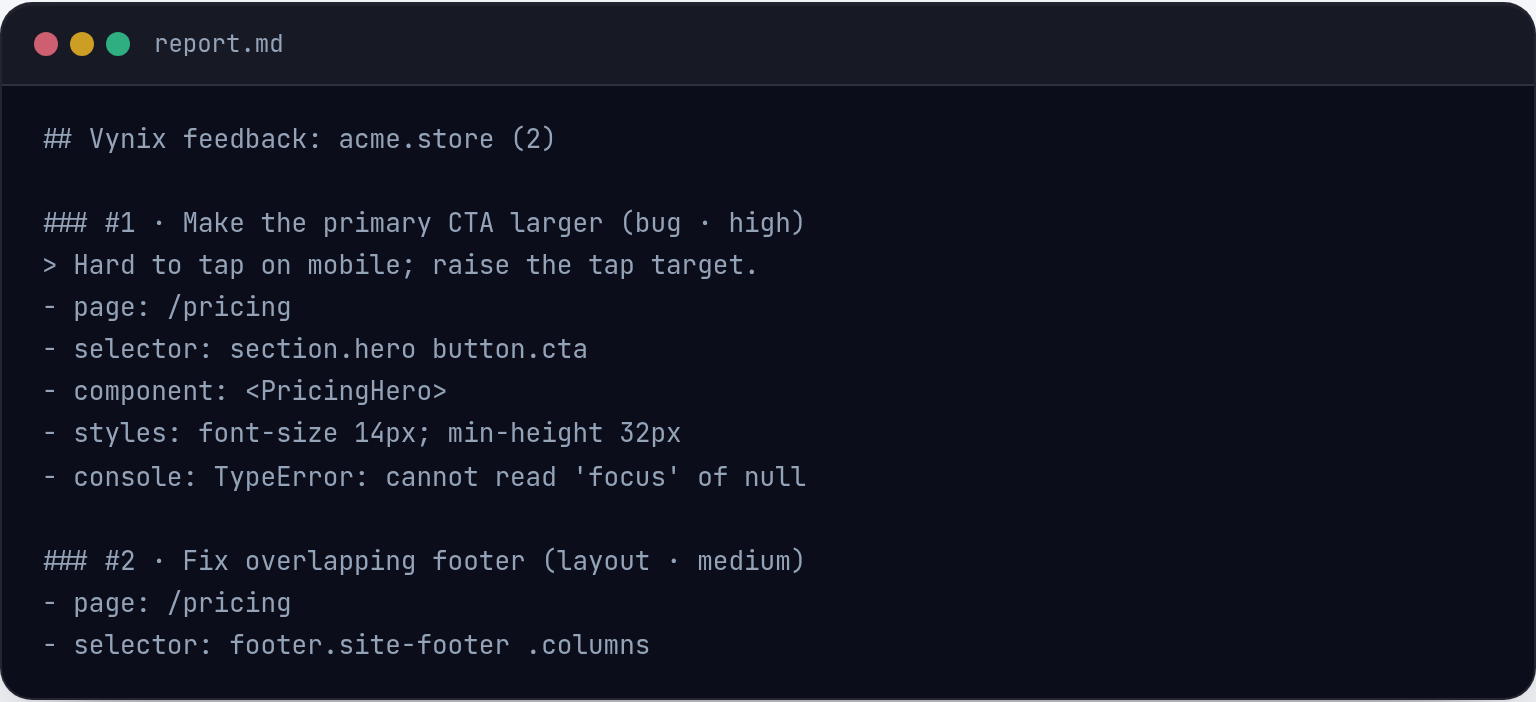
Vynix fits teams that collect website feedback and want to turn it into developer-ready context for humans or AI coding agents. Its strength is combining click-based annotation with screenshot, element, console, network, and AI diagnosis details, then letting teams copy a build prompt or open a GitHub issue. It is most relevant for web product teams that want feedback to arrive closer to an actionable engineering task.
2. Jam
Best for: one-click bug reports with console and network logs.
Jam is known for one-click bug reports with console and network logs.

3. Marker.io
Best for: visual website feedback that syncs to issue trackers.
Marker.io is known for visual website feedback that syncs to issue trackers.
4. Sentry
Best for: automatic application error and performance monitoring.
Sentry is known for automatic application error and performance monitoring.
5. Linear
Best for: fast issue tracking for software teams.
Linear is known for fast issue tracking for software teams.
Frequently asked questions
What is a feedback tool for AI coding agents?
It is a tool that captures bug reports, user feedback, or production issues in a format that is useful for both developers and AI coding agents. The most useful tools include enough context, such as screenshots, affected UI elements, logs, errors, or issue details, so the next step is easier to understand and act on.
Do AI coding agents need different feedback than human developers?
They often benefit from more structured and complete feedback. A human developer can ask follow-up questions or infer missing context, while an AI coding agent works best when the report includes the expected behavior, actual behavior, relevant technical data, and a clear task or prompt.
How should teams choose between visual feedback tools, error monitoring, and issue trackers?
Choose based on where the feedback starts. Visual feedback tools are useful when issues are found on a website or app screen, error monitoring tools are useful for production exceptions and performance problems, and issue trackers are best for organizing work once it is defined. Many teams use more than one category together.
Install Vynix on your site and capture one real report with full context. You will see the difference in a minute.
Get started free