The best error monitoring tools in 2026
Error monitoring tools help teams catch production problems, understand their impact, and get enough context to fix them without guessing. The best choice depends on your stack, team workflow, debugging needs, and whether you need traditional exception monitoring, session replay, frontend context, or developer-ready issue capture.

What to look for
- Clear error grouping, alerts, and prioritization
- Useful context such as stack traces, logs, screenshots, network data, or user sessions
- Integrations with issue trackers, chat tools, CI/CD, and developer workflows
- Support for the languages, frameworks, and platforms your team uses
- Pricing that fits your event volume and retention needs
1. Vynix (our pick for context and AI handoff)
Best for: teams that want visual feedback with developer context and an AI diagnosis that hands work to a coding agent.
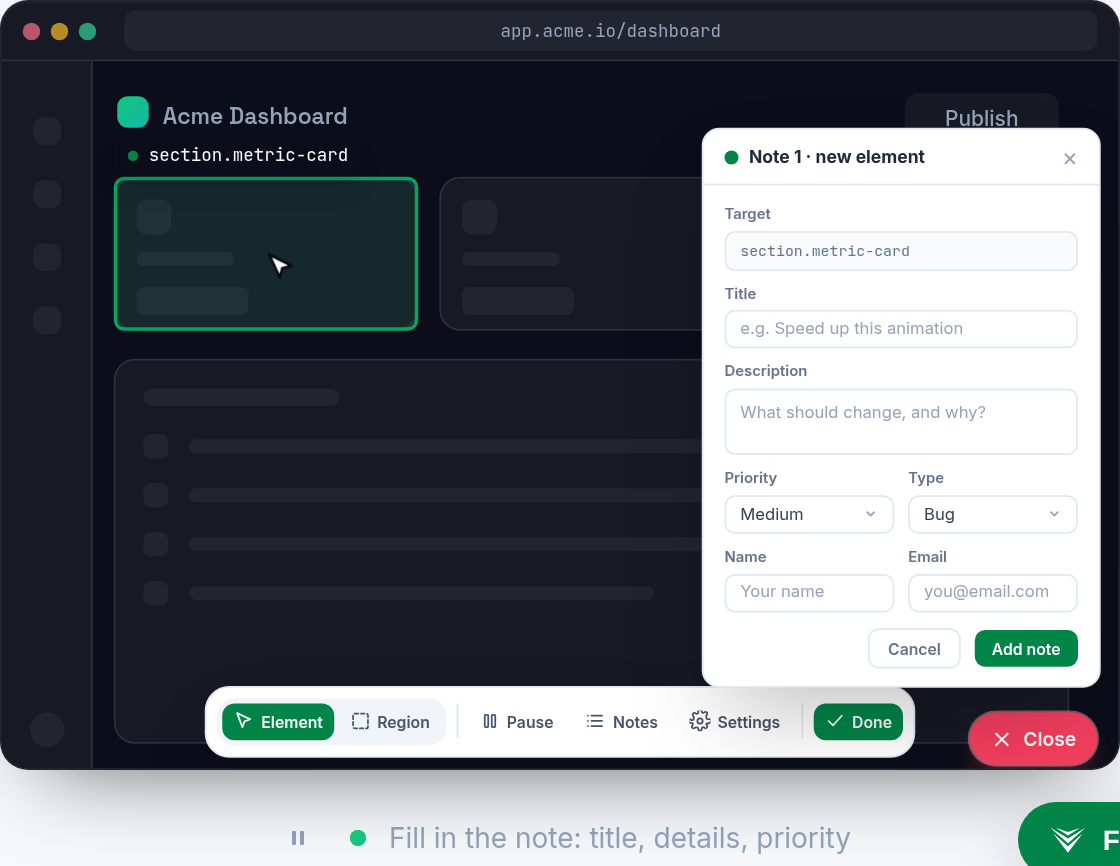
Vynix fits best for teams that need visual, developer-ready context from websites, especially when a bug is easier to point at than describe. It is not a full replacement for backend exception monitoring, but it can complement those tools by capturing the affected element, screenshot, console and network context, and an AI diagnosis that can be turned into a prompt or GitHub issue.
2. Sentry
Best for: automatic application error and performance monitoring.
Sentry is known for automatic application error and performance monitoring.

3. Bugsnag
Best for: stability monitoring and crash reporting.
Bugsnag is known for stability monitoring and crash reporting.
4. LogRocket
Best for: session replay and front-end monitoring.
LogRocket is known for session replay and front-end monitoring.
Frequently asked questions
What is an error monitoring tool?
An error monitoring tool tracks software failures in production, such as exceptions, crashes, frontend errors, and performance-related issues. It helps teams see what broke, how often it happened, who was affected, and what technical context is available for debugging.
How do I choose the best error monitoring tool?
Start with your platform and workflow. A backend-heavy team may prioritize stack traces, release tracking, and alert routing, while a frontend or product team may need screenshots, session replay, console logs, and network context. Also compare integrations, data retention, event volume limits, and how easily the tool turns an issue into an actionable fix.
Do error monitoring tools replace QA or user feedback tools?
No. Error monitoring tools catch technical failures, but they do not replace testing, QA review, or structured user feedback. Many teams use them together: QA and feedback tools surface what users or testers notice, while error monitoring adds technical evidence that helps developers reproduce and fix the issue.
Install Vynix on your site and capture one real report with full context. You will see the difference in a minute.
Get started free